

Reaktion Academy
How to scale your profits with Reaktion’s “Product Analytics”
In the dynamic landscape of e-commerce, understanding product performance through robust analytics is crucial for driving strategic decisions and optimizing business outcomes. Reaktion has a dedicated Product Analytics section that delves into the realm of Product Analytics, focusing on two pivotal dimensions: Product Sales and Product Marketing.
Product Sales Report
This report gives you an in-depth view on the sales numbers of your products, which you can drill down further by Product Type, Webshop, etc. You can find the Product Sales Report here – Report Link. Here are the various tabs in the Product Sales report.
Sales by Brand – If you have certain brands that you sell on your store and wish to see how much sales and revenue are generated per brand, this report would be useful. You can also look at metrics like Sold items, Total Sales excl. VAT, % of E-commerce revenue, Gross Profit excl. VAT, and % of Entire Gross Profit.
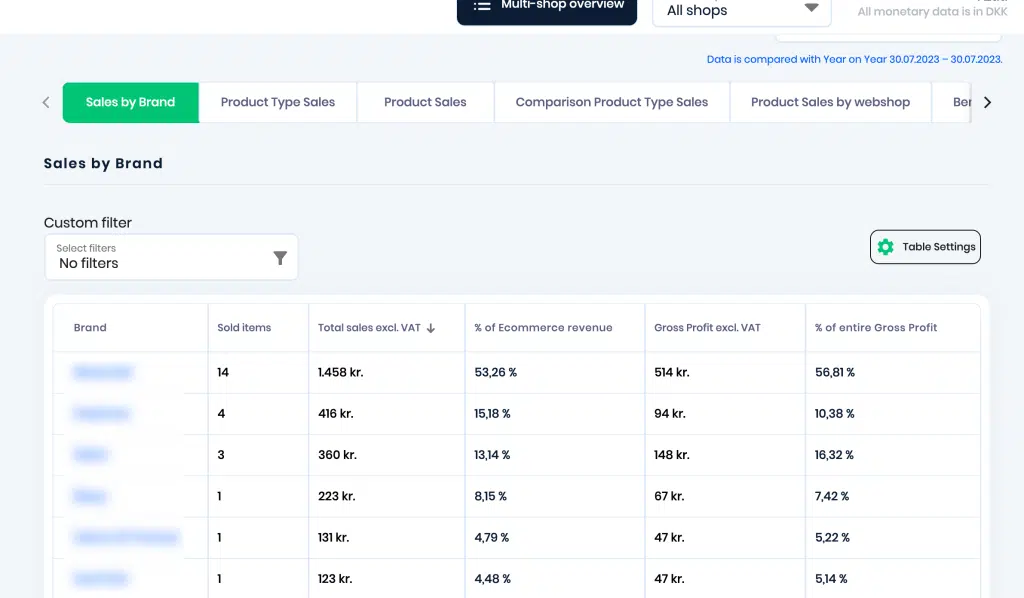
You can also further filter this information by using Custom filters with criteria such as Product Brand, Product Tags, Sold items, Total Sales excl. VAT, and Gross Profit excl. VAT.
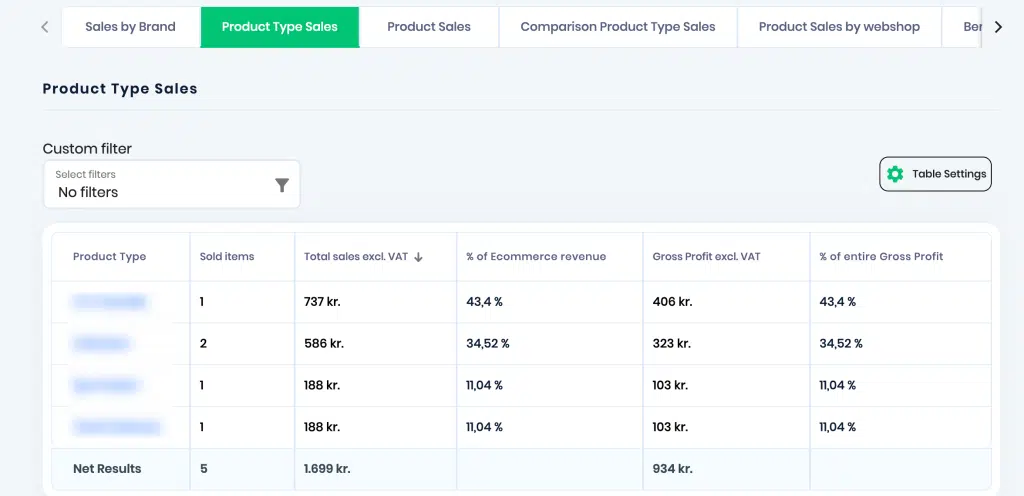
Product Type Sales – If you have specific product types on your store and wish to see how much sales and revenue are generated per product type, this report would be useful.
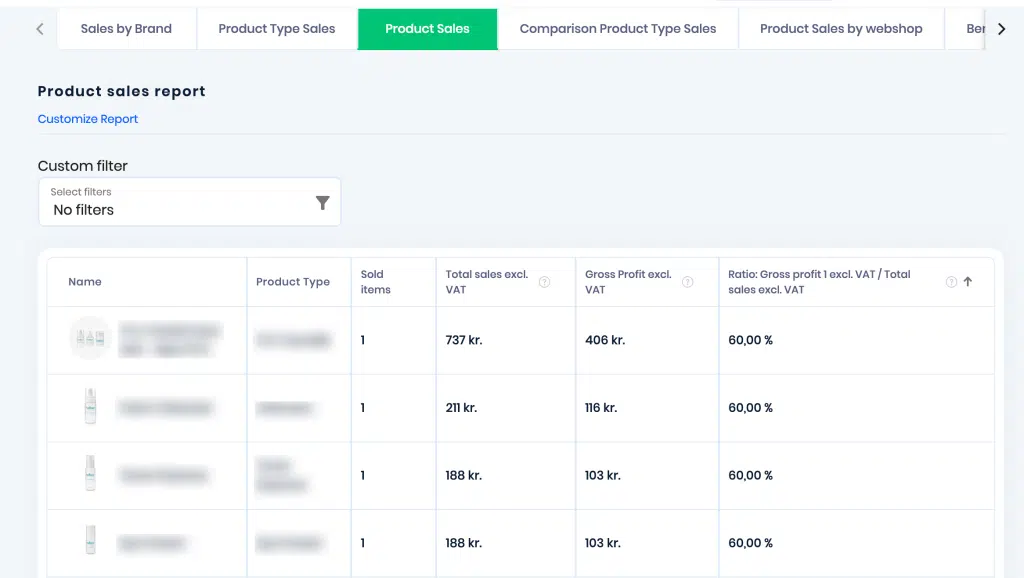
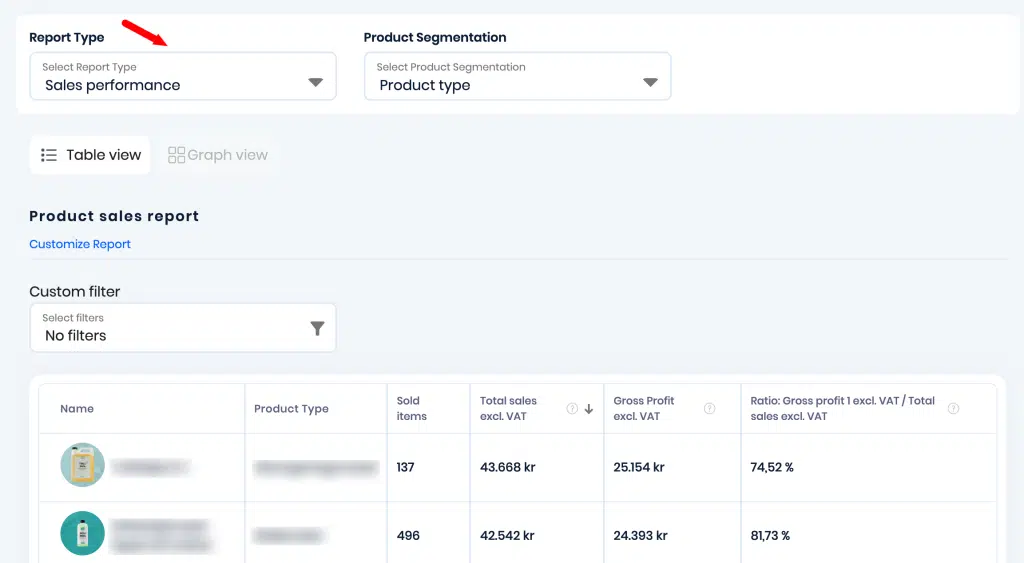
Product Sales – This report gives you an overall look into how each of your products listed on the store are performing. You can also look at metrics like Sold items, Total Sales excl. VAT, Gross Profit excl. VAT, and Ratio of Gross profit excl. VAT / Total sales excl. VAT.
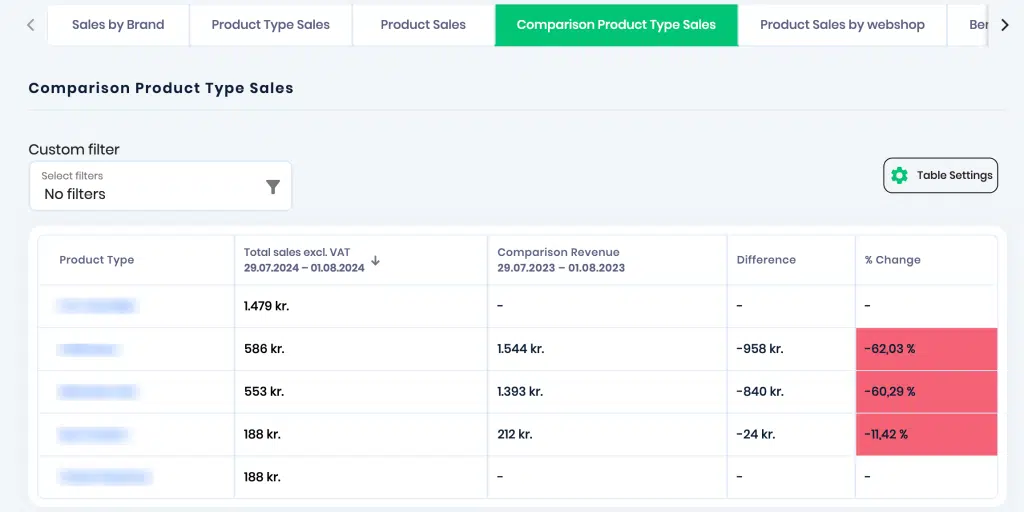
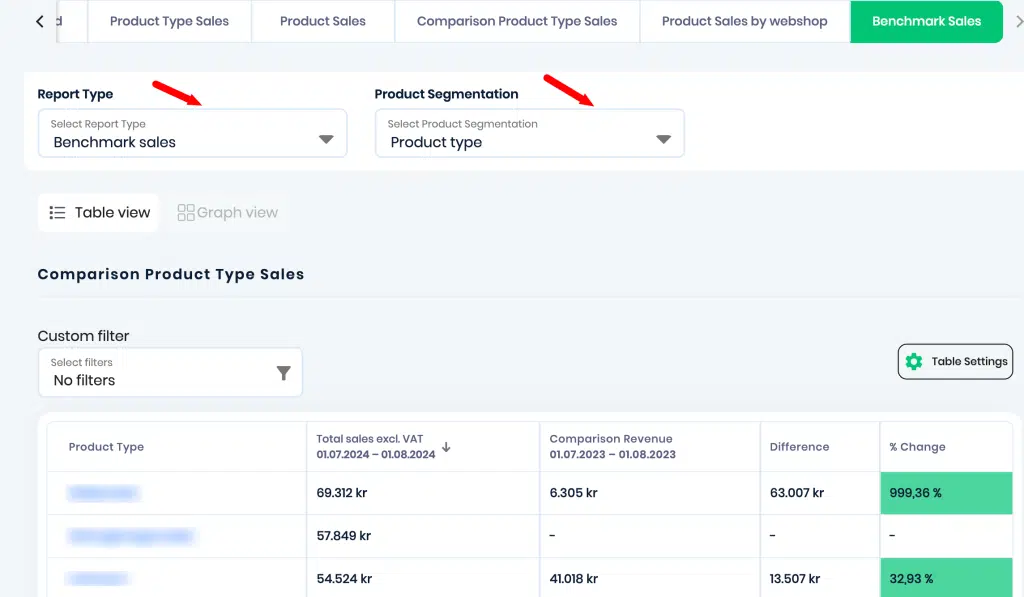
Comparison Product Type Sales – If you have multiple product types and wish to compare them to see which product types are generating more sales/revenue, this report would be helpful. Based on the timeframe selected, you can also view the Total Sales incl. VAT, Comparison Revenue, Difference, and % Change for that time period.
Product Sales by webshop – This report can be used to view the product sales split by webshop. You can also use custom filters to further drill down the data. There are three filters available – Product Type, Product Name and Product Tags. The product naming is based on the store that you select, for example, Norway. You can use the ‘change’ button above the table to change to your desired store.
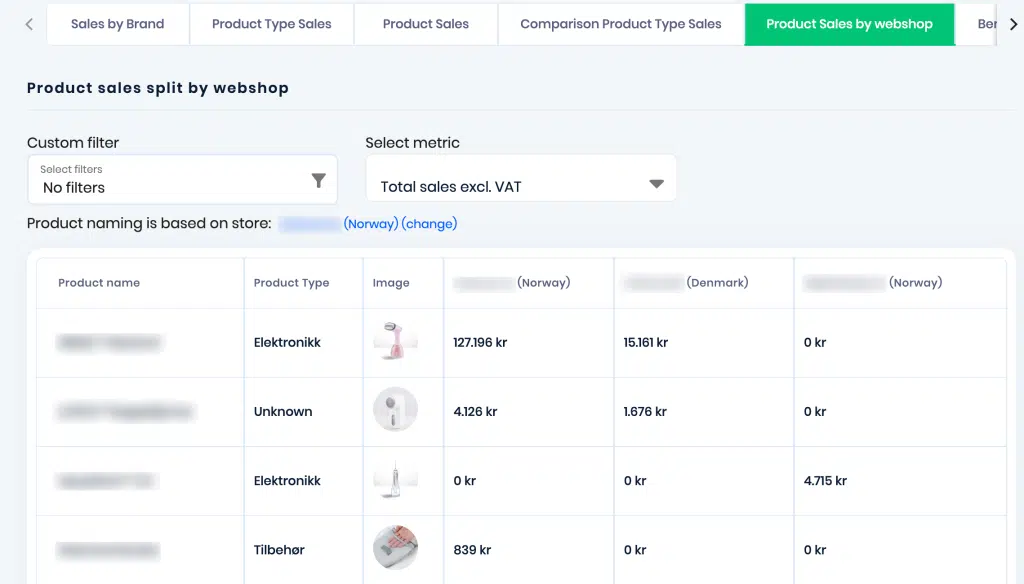
Benchmark Sales – This report can be used to obtain a detailed comparison between your products or product types and their sales/revenue numbers. Before proceeding to look at the data, please ensure that you select the Report Type and Product Segmentation. There are two Report types – Benchmark Sales and Sales Performance. There are three product segmentations – Product Type, Product level, and Product variant level.
Benchmark Sales report –
Sales Performance Report –
That covers all the reports in Product Sales.
Product Marketing Report
This report gives you an in-depth view into your Google Shopping/Meta Ads product performance. You can find the Product Marketing Report here – Report Link. Here are the various tabs in the Product Marketing report.
Google Shopping Product Performance – This report gives you detailed information on your Google Shopping products. Before looking at the data, please ensure that you have selected the type of filter – Brand, Product Type, Product level, and Product variant.
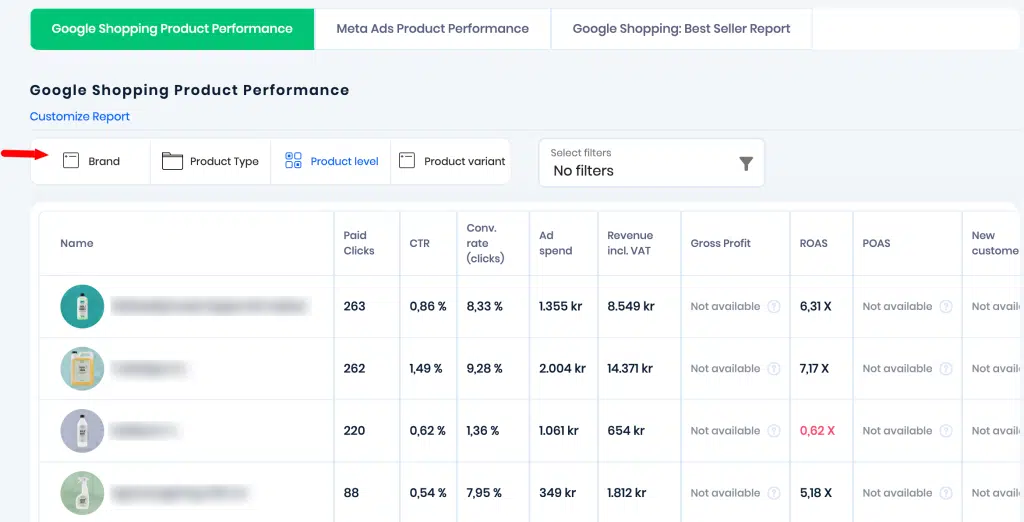
You can view the revenue related metrics, ad spend, paid clicks, etc for each product/product type/brand that you choose.
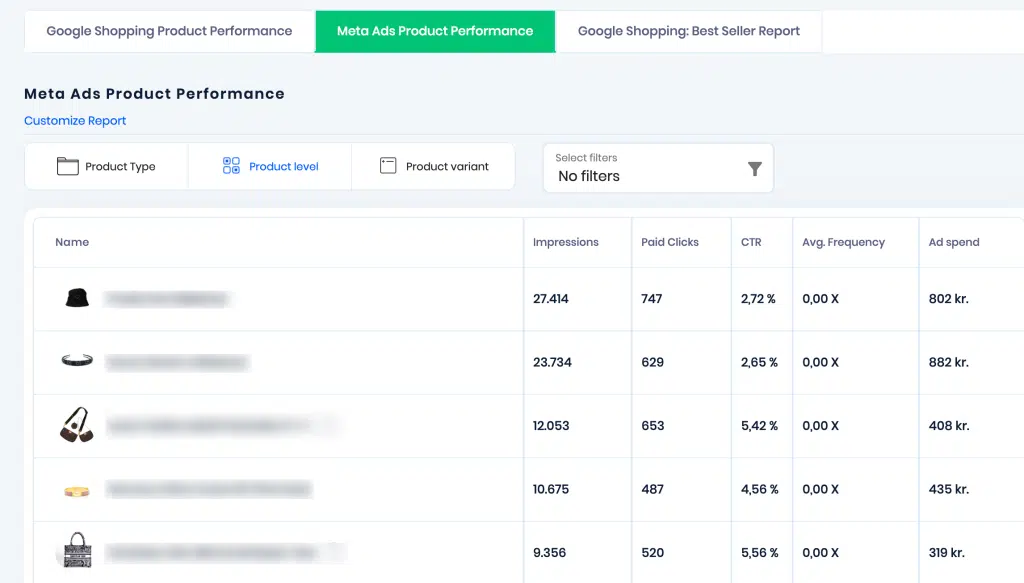
Meta Ads Product Performance – This report gives you detailed information on your Meta Ads products and their performance. Before looking at the data, please ensure that you have selected the type of filter – Product Type, Product level, and Product variant.
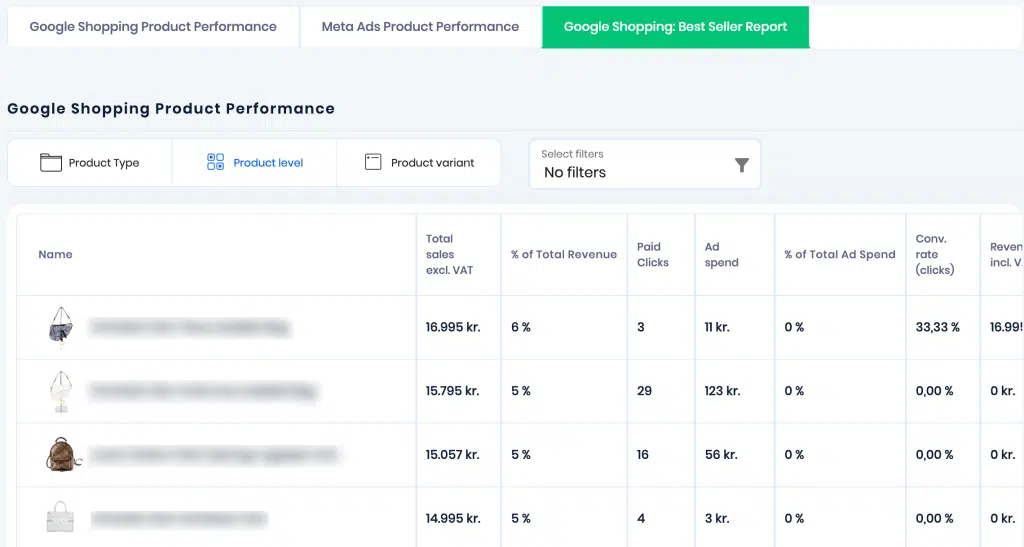
Google Shopping Best Seller Report – This report gives you detailed information on Google Shopping best selling products and their performance. Before looking at the data, please ensure that you have selected the type of filter – Product Type, Product level, and Product variant.
That covers all the reports in Product Marketing.