

Reaktion Academy
Google Ads: Optimise your campaigns for true profit
Optimising campaigns for profit in Google Ads is essential for maximising return on investment (ROI) and ensuring the efficient use of advertising budgets. By focusing on profit optimisation, businesses can achieve better cost-effectiveness and allocate resources more effectively. This approach helps to identify and prioritise high-value keywords, target audiences more precisely, and refine ad messaging to attract qualified leads. Ultimately, profit optimisation in Google Ads enables businesses to achieve their advertising goals while maintaining profitability and sustainable growth.
Reaktion meticulously calculates the profit margins for individual products by factoring in various components like product costs, shipping fees, payment fees, return fees, and pick & pack charges. This comprehensive approach provides a clear understanding of the true profitability of each item. And, it is extremely simple to to start optimising your campaigns for profit on Google Ads.
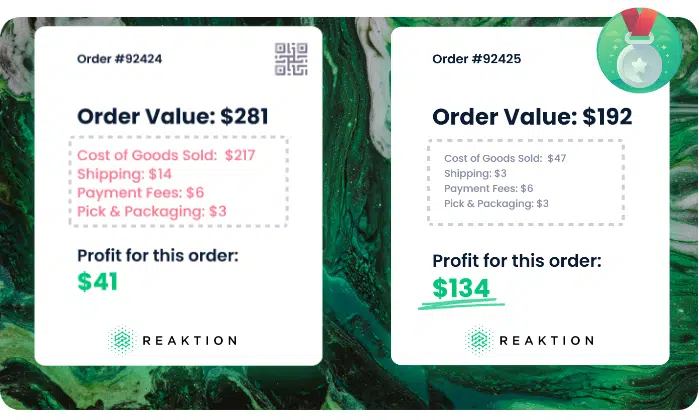
Does your business use-case really need campaign optimisation for profit?
This feature is optional as not all businesses need to optimise their campaigns. It comes in handy for businesses with products that make different amounts of profit. For example, if you sell only white t-shirts, you might not need it because each order probably brings in about the same profit. But if you sell both t-shirts and hand-made bags, there could be a big difference in profits. In that case, using ReaktionProfit as the main conversion event will create a feedback loop to the algorithm with profit data – and not just revenue time. This helps the algorithm learn which campaigns, keywords, products, and audience bring in the most profit over time, not just the most money. This helps businesses make smarter choices and earn more money from their ads.
Below are the steps to set ReaktionProfit conversion actions as primary events in Google Ads.
Note: Please ensure that you do not have any pending tasks in the Task Manager section on your Reaktion dashboard. Also, ensure that you have integrated Reaktion x Google Ads at least for a few weeks: https://advertiser.reaktion.com/tracking/google-tracking
Step 1: Navigate to your Google Ads account and click on Conversions > Conversion events –
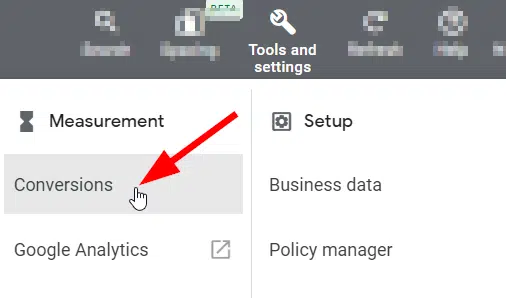
Alternatively, click here – https://ads.google.com/aw/conversions/
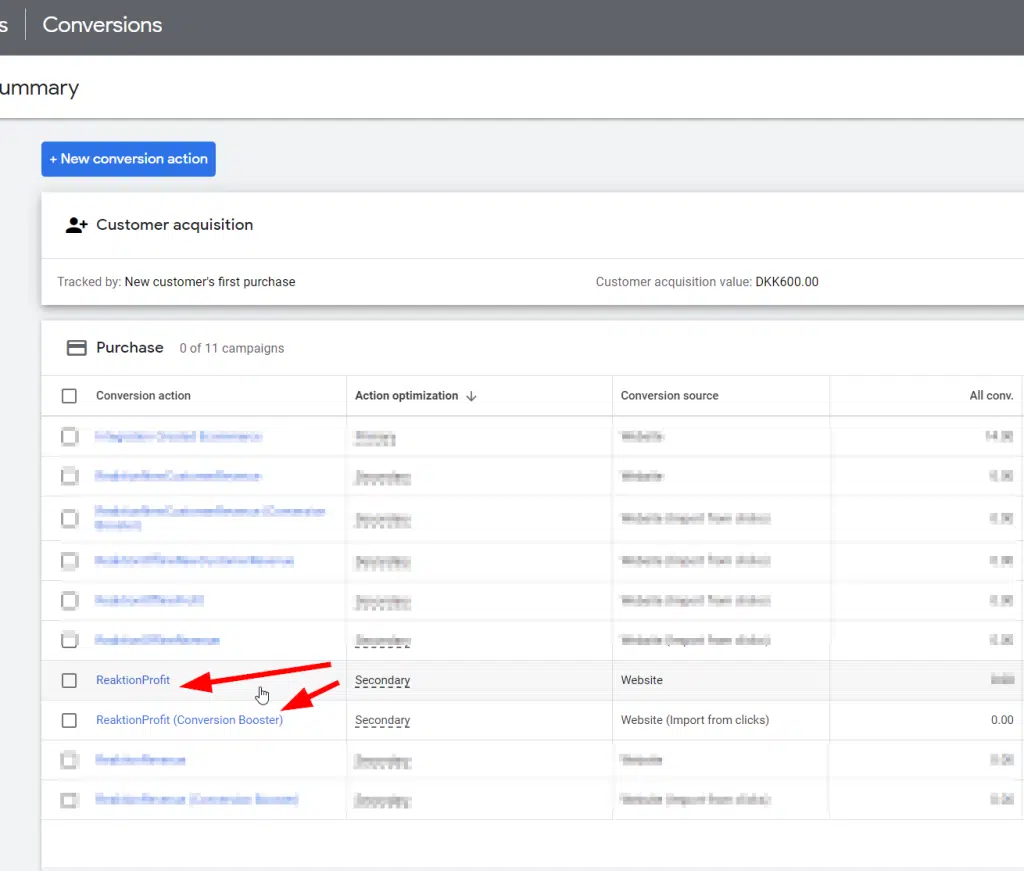
In this Overview, you will find all the important conversion actions/events that you can optimise. Click on ReaktionProfit here –
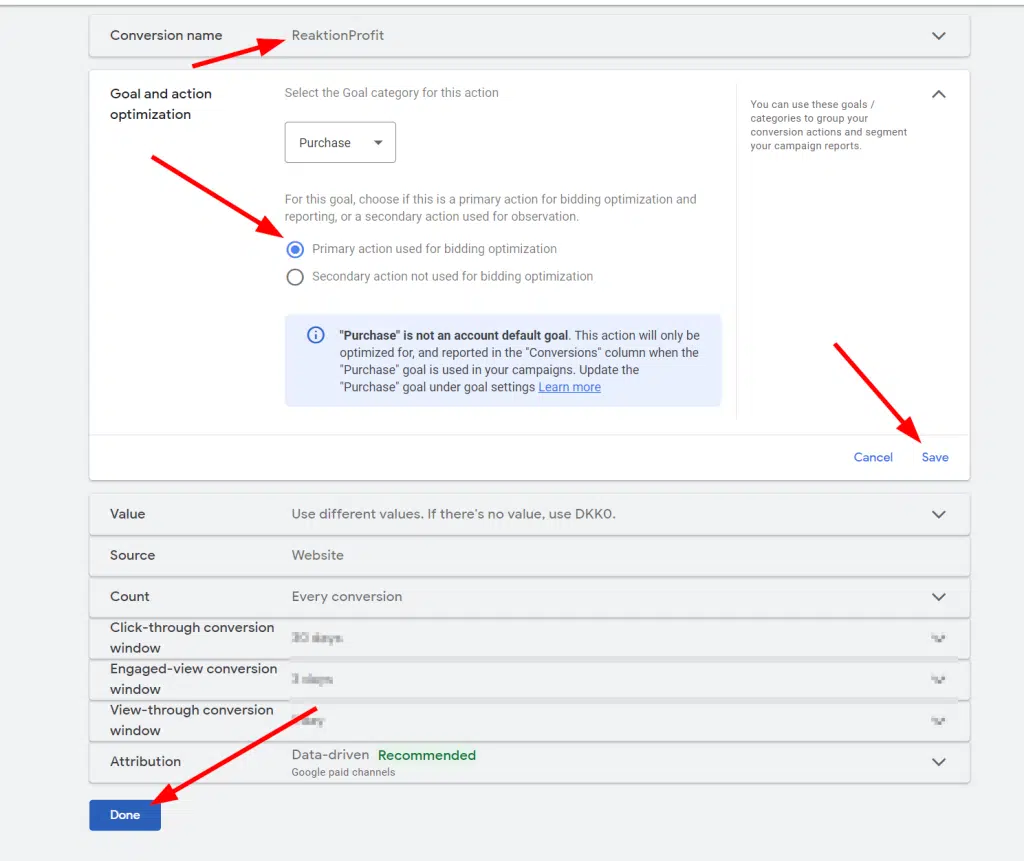
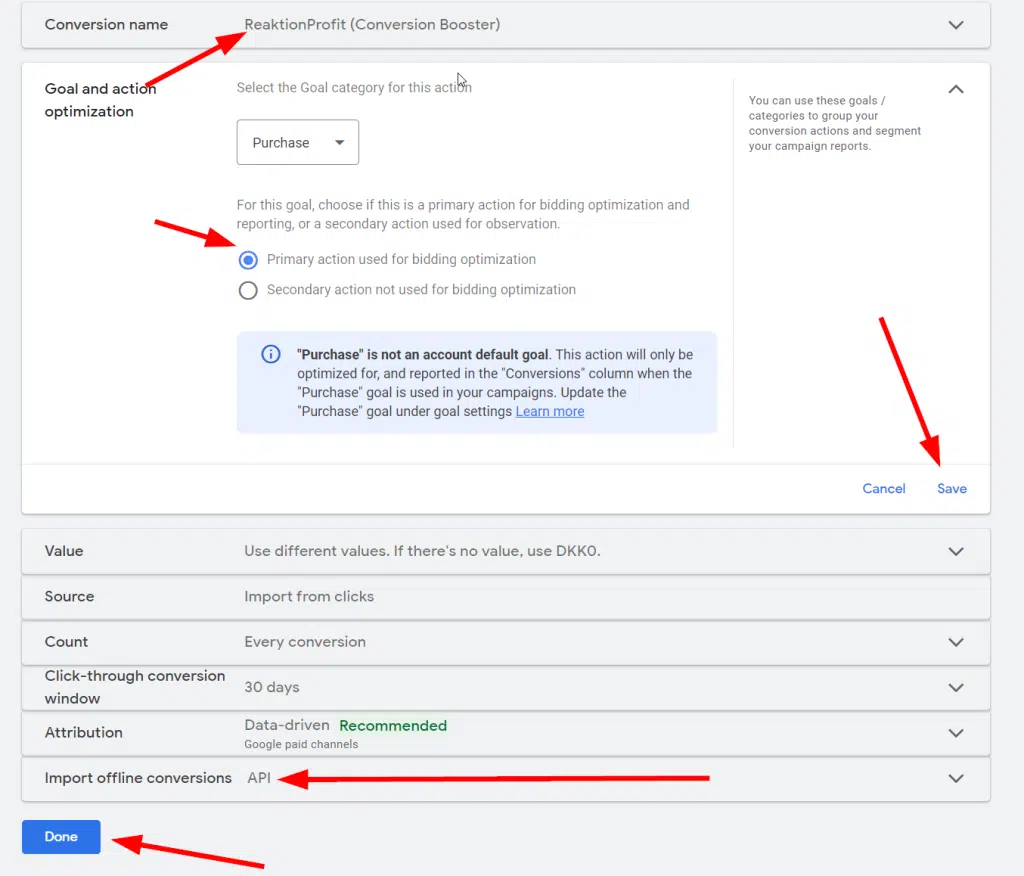
Step 2: You can find the conversion action details here. Select “Primary action used for bidding optimisation”. After selecting, please make sure to click on “Save” and then “Done” at the lower portion of the screen –
Step 3: Repeat the above two steps and, but for “ReaktionProfit (Conversion Booster)” action. In the select box “Import offline conversion”, choose “API”.

Once again, please make sure to click on “Save” and then “Done” at the lower portion of the screen –
Now, your conversion action overview should look like this –

And, you are done! When you set these conversion actions as the primary event, you’re essentially instructing the Google Ads algorithm to focus on optimising for profit!