

Reaktion Academy
Setting up Costs in Reaktion
Cost settings provide insights into the profitability of marketing efforts. Therefore, it is important to input detailed cost data in Reaktion. This approach is fundamental for comprehending the unit economics within your e-commerce business. Without defined costs, while you may still benefit from enhanced tracking and an overview of revenue, incorporating detailed input facilitates the generation of more precise insights. To start setting your costs, please navigate to Cost Settings by clicking this link.
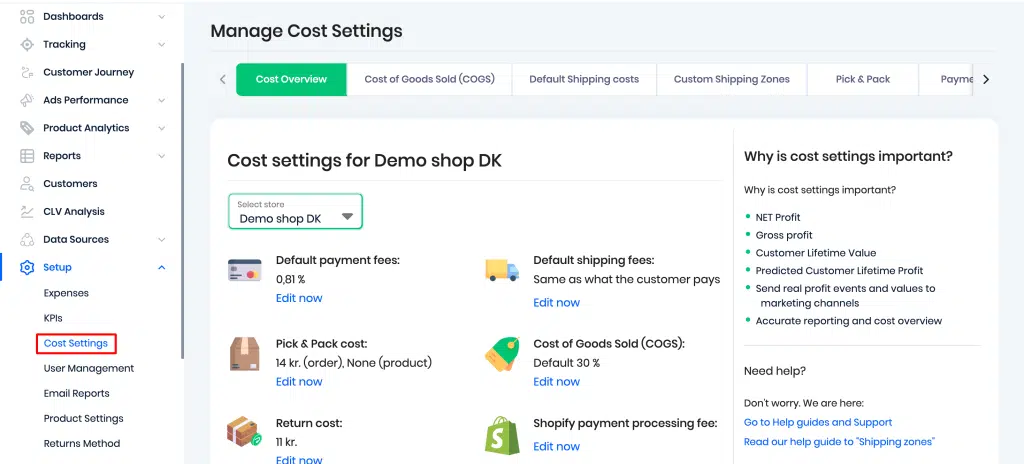
Let’s go through the various sections here.
Cost Overview – This gives you an overview of all the important costs that are crucial to configure. If you have multiple web shops in one Reaktion account, please ensure that you select the right shop here –
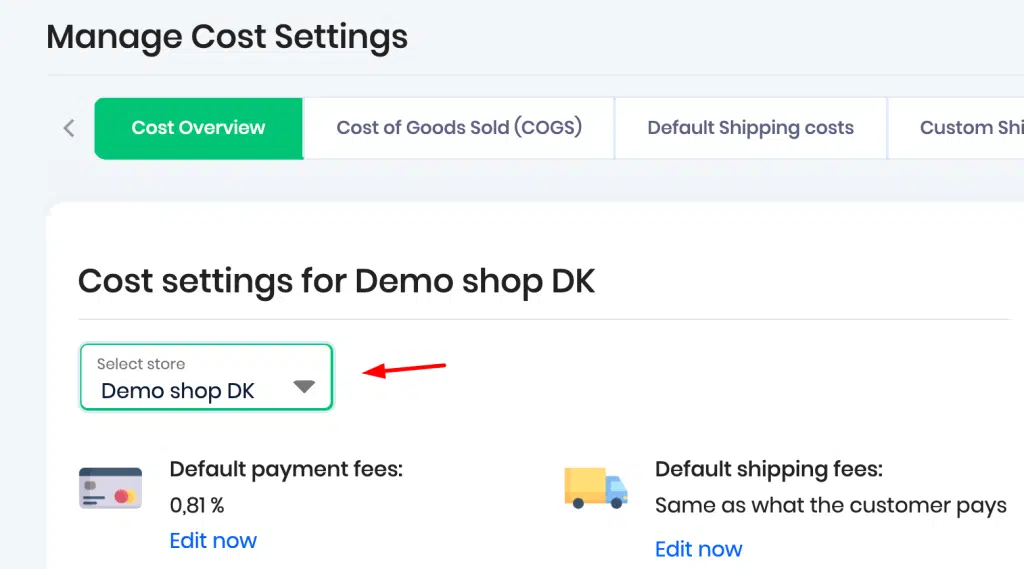
Once you have set your various costs, you can click on ‘Edit now’ under the various options to start adding your costs.
Cost of Goods Sold (COGS) – Cost of Goods Sold are the direct costs incurred in producing the goods or services sold by the company. This includes expenses such as raw materials, labor, and manufacturing overhead. Please note that COGS should be set excluding VAT.
Set your default COGS percentage, excluding VAT, here –
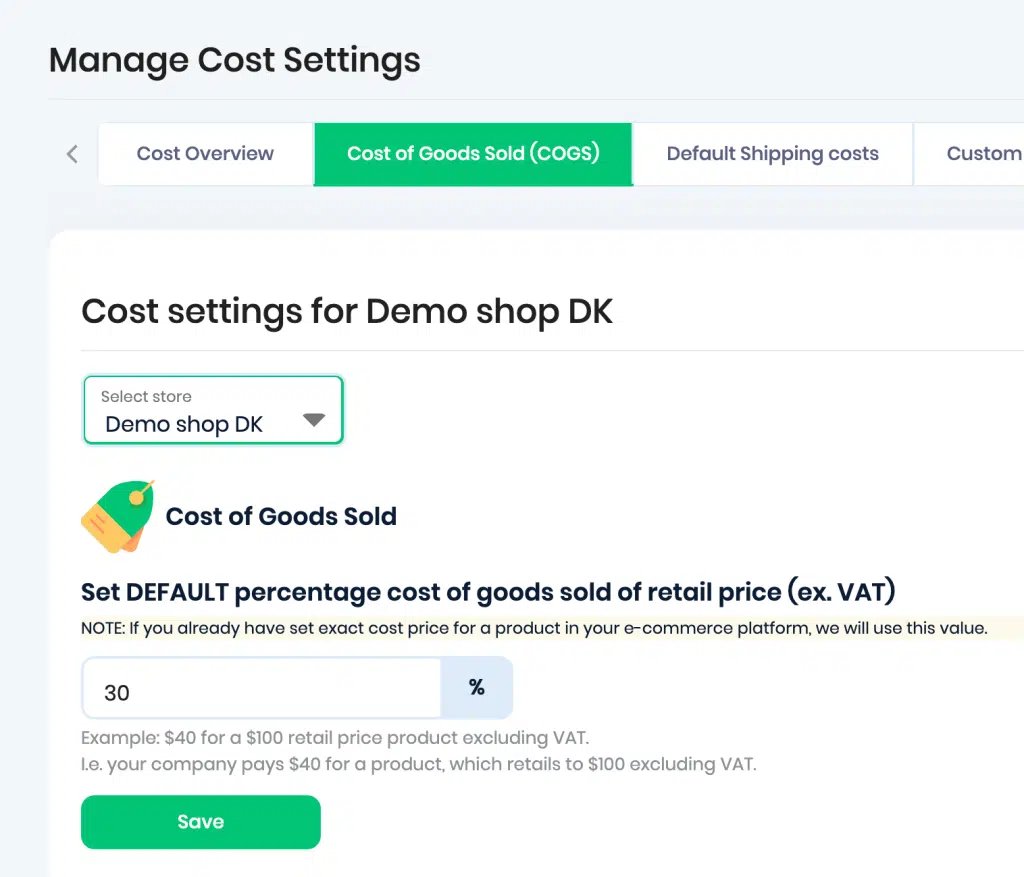
If your COGS data is available through platforms such as Shopify, Magento2, or WooCommerce, we import it seamlessly into Reaktion. Our system conducts COGS refreshes four times daily, guaranteeing automatic synchronisation of all pricing updates.
If your Cost of Goods Sold (COGS) is available in an alternative system, there are two methods for supplying us with the requisite data:
CSV File: Share a CSV file inclusive of your SKU number, retail price, and COGS.
XML Feed: Send an XML feed containing the essential product information.
You can then click on ‘Add product feed’ and upload your CSV/XML feed –
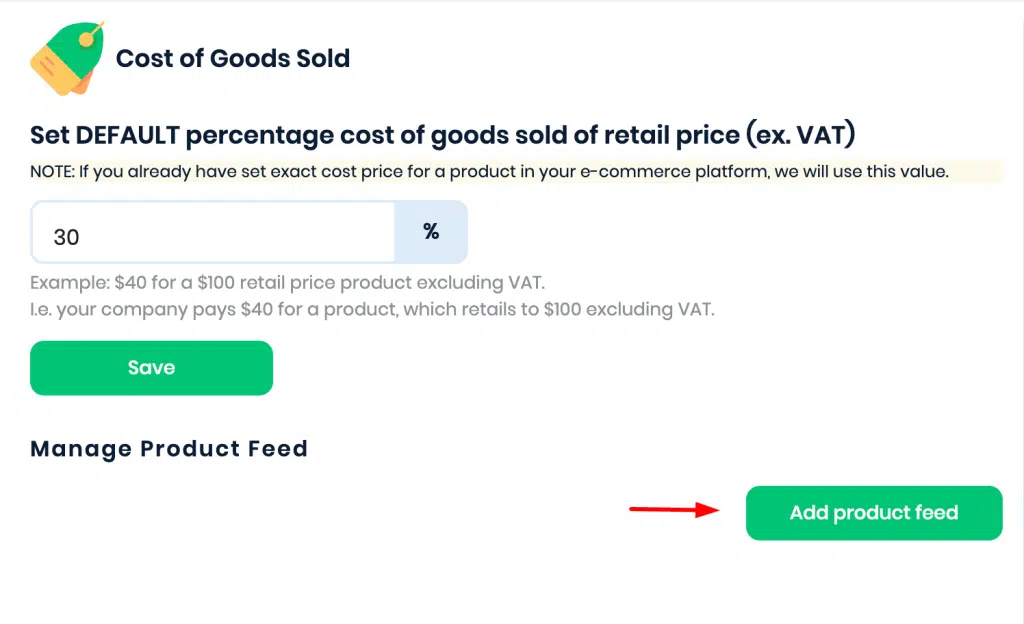
If certain items do not have precise COGS data, you can opt to apply a default “Cost of Sales” percentage. This guarantees that all your products are included in the cost analysis.
Once you have set the costs, you can verify the product level costs here –
https://advertiser.reaktion.com/setup/product-settings
If a product does not have a product-level cost, we will use the “backup / default” COGS percentage.
Example of a default COGS calculation –
Product retail price – $100 (before VAT)
Default COGS – 40%
Resulting COGS – $40
Default Shipping Costs – You can define your shipping costs per order here. There are two options to choose from –
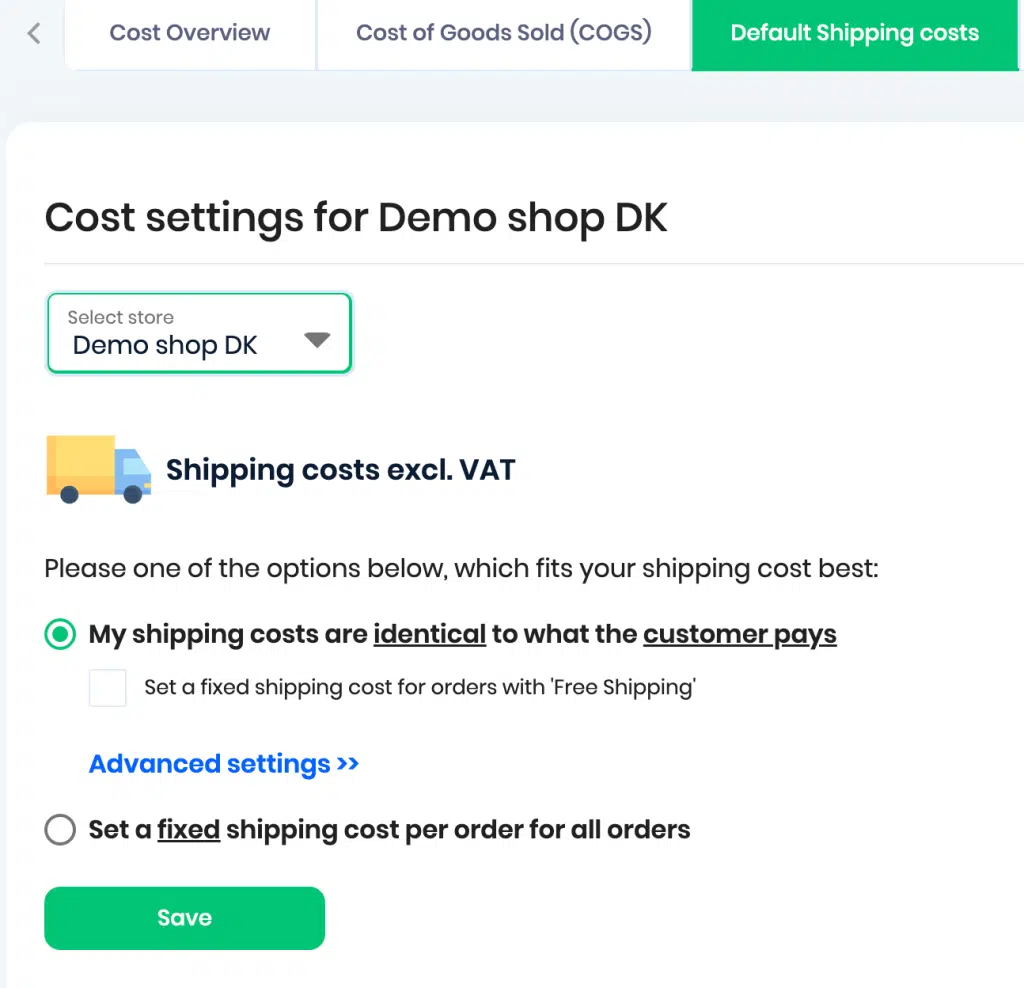
If your shipping costs are identical to what the customer pays, please pick the first option. Under this, you also have an option to choose whether you would prefer to set a fixed shipping cost for orders labelled as ‘Free shipping’.
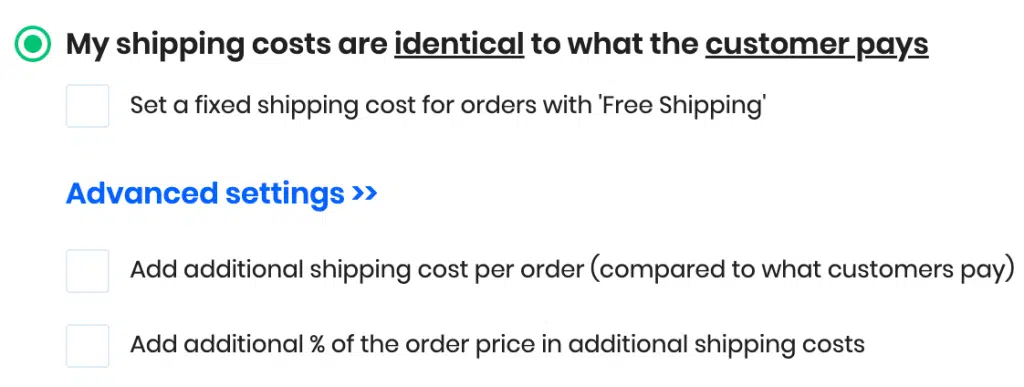
Under Advanced settings, you can choose if you want to charge an additional shipping cost per order and if you would like to add an additional percentage of the order price in the shipping costs –
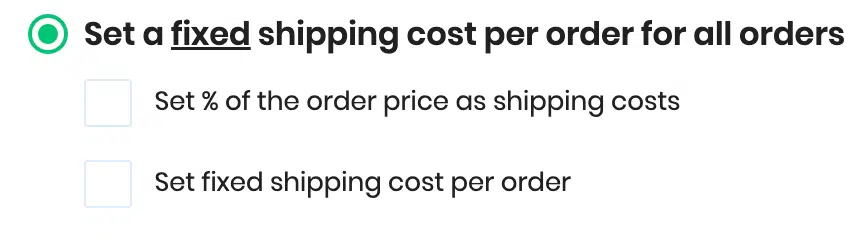
If you would like to set a fixed shipping cost for all your orders, please pick the second option. You can also choose if you want to set a percentage of the order price as shipping costs or set a fixed shipping cost per order –
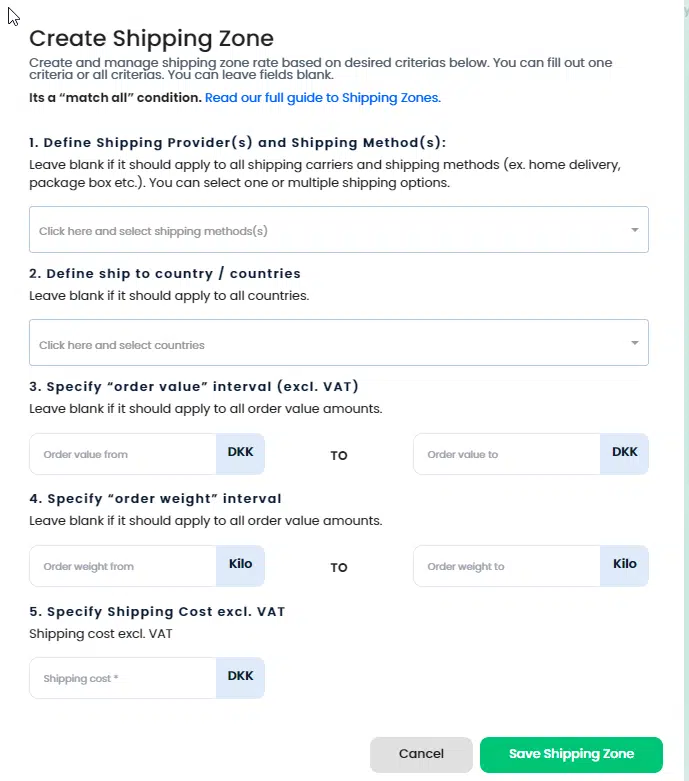
Custom Shipping Zones – You can create custom shipping zones and define various rates here. You can choose a specific web shop if you would like to define different zones and rates for individual web shops.
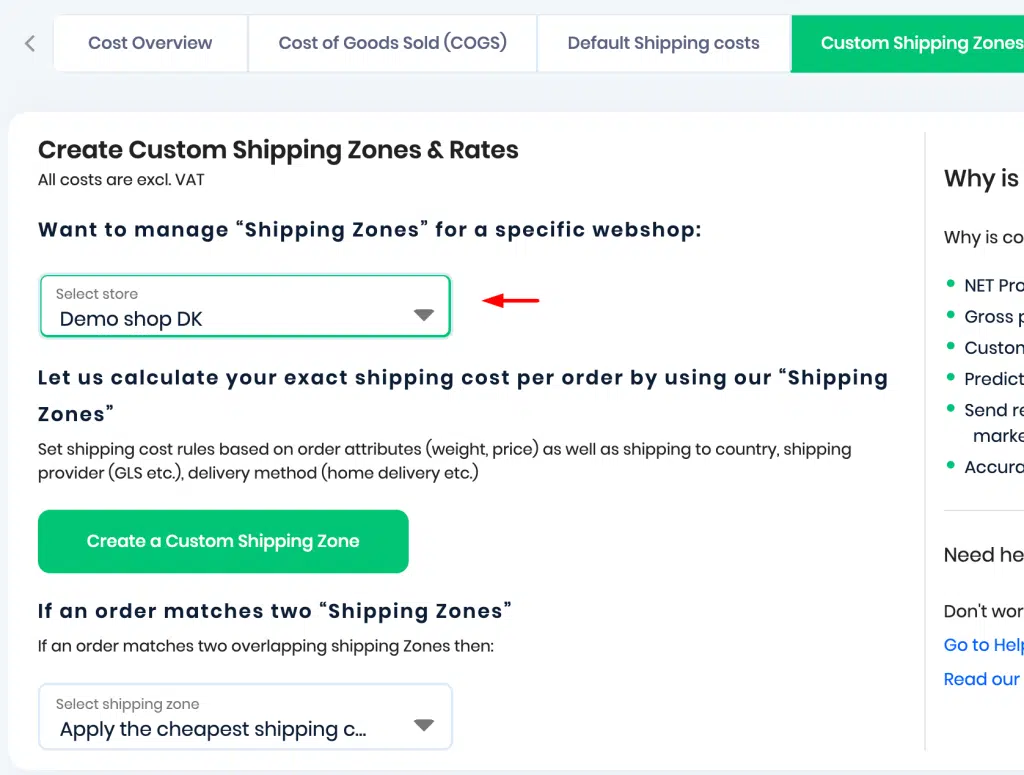
Click on ‘Create a Custom Shipping Zone’ and manage the zone rate based on various criteria like shipping providers, shipping methods, shipping country, order value and order weight intervals –
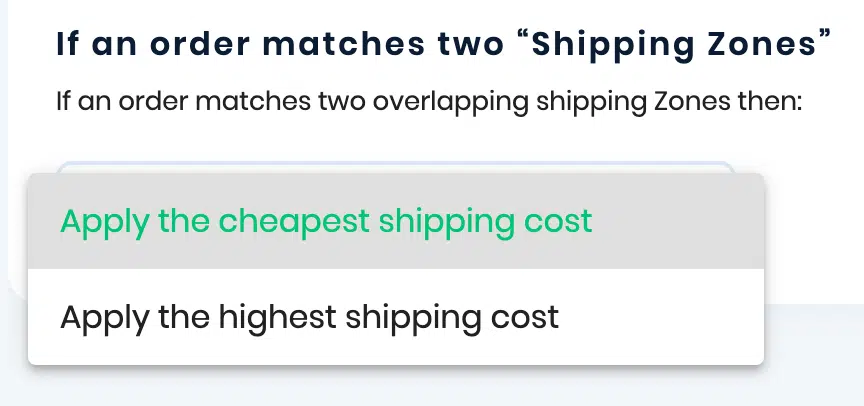
If an order matches two “shipping zones” or overlapping zones, you can also choose whether if you would like to apply the cheapest or highest shipping cost –
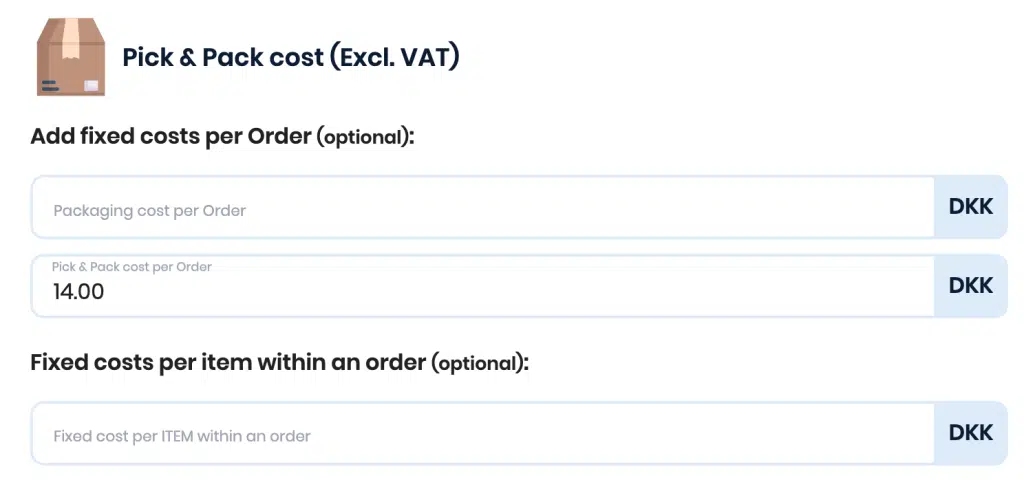
Pick & Pack – Pick & Pack costs refer to the expenses associated with selecting items from inventory (picking) and packaging them for shipment (packing). These costs include labor, packaging materials, and any other expenses incurred in the process of preparing orders for delivery to customers.
You can choose to add a fixed packaging and a pick and pack cost per order or choose to set a fixed cost per item within an order here –
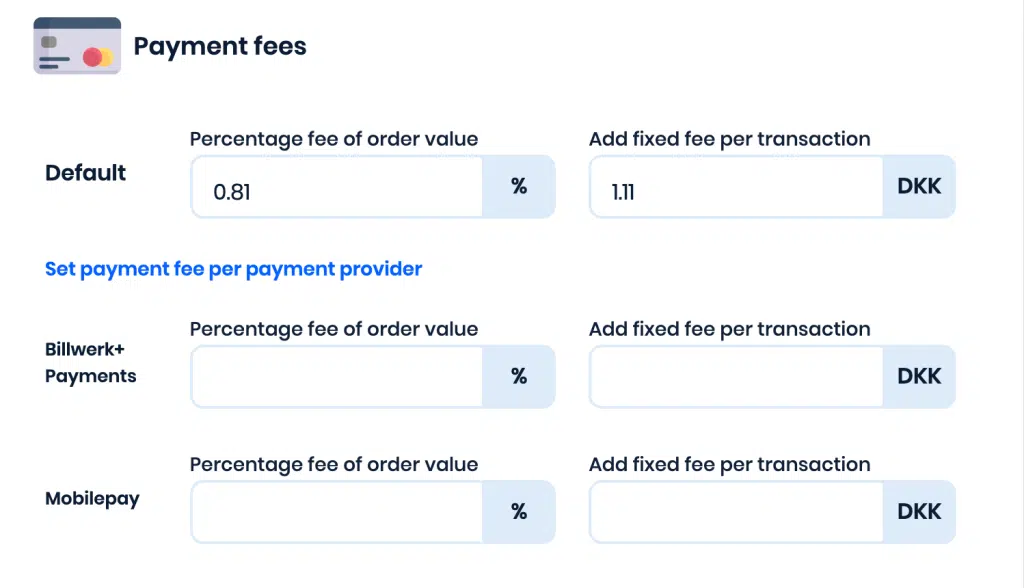
Payment fees – Payment processing fees are the costs associated with receiving payments online. Generally, these fees comprise both a percentage of the payment being processed and a fixed fee per transaction.
You can define an overall average payment fee or you can choose “Set payment fee per payment provider” to define the payment fees per individual payment gateway.
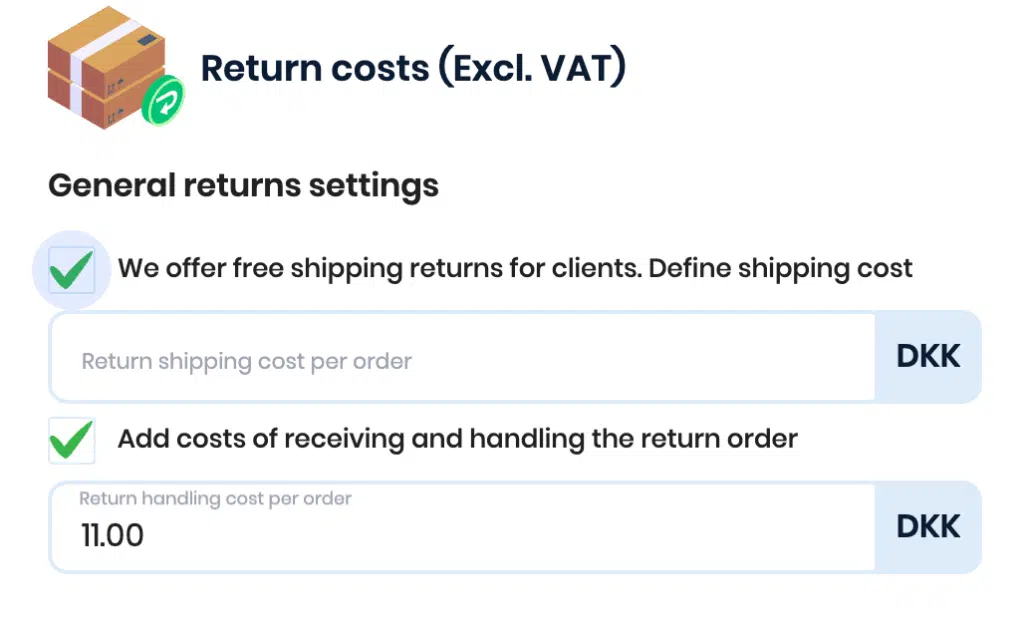
Return Costs – Return costs refer to the expenses associated with handling product returns from customers. These costs may include shipping fees for returning items, restocking fees if applicable, and any associated processing costs such as inspecting returned items for damage.
You can set up return shipping costs for free shipping returns and return handling costs for receiving and handling return orders here –
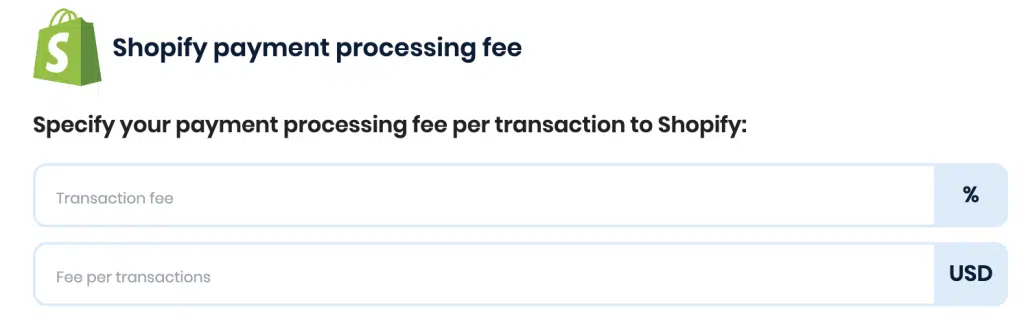
Shopify Payment fee – If you would like to specify a payment processing fee for every transaction to Shopify, you can choose to add a transaction fee percentage and a fee per transaction here –
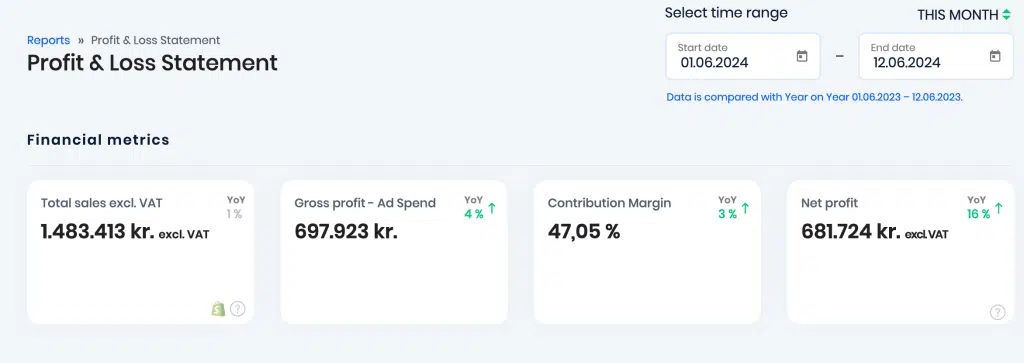
Profit & Loss Statement Report – Once you have set up these costs, you can look at Reaktion’s Profit & Loss Statement report to gather an understanding of how these costs are impacting the performance. On the left panel, navigate to Reports > Ecommerce > Profit & Loss Statement.
Define a time period for which you would like to see the results for and you can see the financial metrics here –
For a deep-dive, you can split the Profit & Loss Statement by time periods, web shops, product type or brand and view the performance –

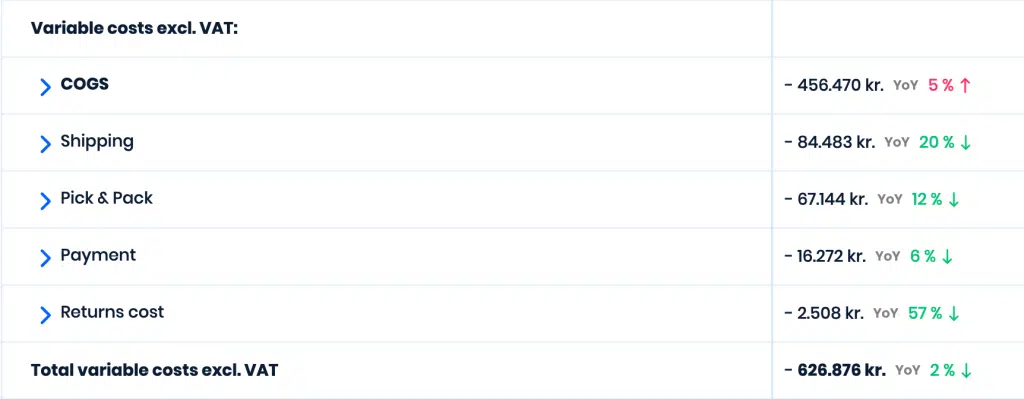
Why Knowing Your Variable Costs is Crucial for eCommerce Success: Unlock Profit Potential with Smart Insights on Shipping, Payment Fees, and More
Knowing your variable costs is crucial for e-commerce success for several reasons:
- Pricing Strategies: Understanding your variable costs allows you to set prices that not only cover your expenses but also ensure profitability. By factoring in variable costs such as shipping fees and payment processing fees, you can establish pricing strategies that are competitive yet profitable.
- Profitability Analysis: Variable costs directly impact your profit margins. By analysing these costs in relation to your revenue, you can assess the profitability of individual products, categories, or marketing channels. This insight helps you focus on high-margin products or areas of your business that contribute most to your bottom line.
- Shipping Optimization: Shipping costs are a significant variable cost in e-commerce. By knowing your shipping costs, you can optimize your shipping processes to minimize expenses. This may involve negotiating better rates with shipping carriers, optimizing packaging to reduce dimensional weight charges, or offering shipping incentives to encourage larger orders.
- Payment Fee Management: Payment processing fees can vary depending on the payment method and processor used. Understanding these fees allows you to choose payment processors that offer competitive rates and negotiate better terms. You can also implement strategies to encourage the use of lower-cost payment methods or offset fees through pricing adjustments.
- Customer Experience: Efficient management of variable costs can indirectly impact the customer experience. By optimizing shipping processes and offering competitive pricing, you can provide customers with affordable and reliable shipping options, transparent pricing, and a smooth checkout experience, ultimately enhancing customer satisfaction and loyalty.
- Business Growth: Maximizing profitability by effectively managing variable costs provides the financial foundation for business growth. As you identify areas to reduce costs and improve efficiency, you free up resources that can be reinvested in marketing, product development, or expanding your e-commerce operations, driving sustainable growth and success.
- In summary, knowing your variable costs empowers you to make informed decisions that optimise profitability, enhance the customer experience, and fuel growth in the competitive e-commerce landscape.